
- csi_security
How To Transition From An Old Alarm To A Smart System: Upgrade Steps, Benefits & Installation Tips
Home security has entered a new era in 2025. Traditional alarm systems that once relied on wired panels and basic sensors are no longer enough to address today’s safety challenges. Smart security systems have become the new standard, offering advanced monitoring, real-time alerts, and seamless integration with other connected devices in the home.
This article will cover the differences between old and smart systems, the upgrade process, benefits, installation tips, and the key trends shaping home security in 2025.
Comparing Old Alarm Systems vs. Modern Smart Security
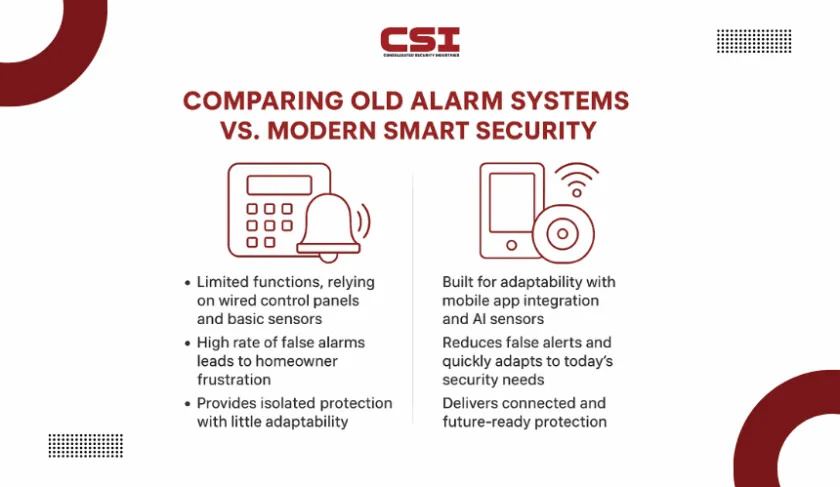
Traditional alarm systems were designed with limited functions, relying mainly on wired control panels, basic sensors, and loud sirens. They offered little flexibility and could not adapt to changing security needs. They could not distinguish between a genuine threat and a false alarm, leading to frustration for homeowners and neighbors alike.
Smart security systems, on the other hand, are built for connectivity and adaptability. They integrate with mobile apps, connect through modern networks, and expand easily with additional devices. This makes them more versatile and responsive to today’s security expectations.
New systems use AI-powered sensors and cameras to identify unusual activity more accurately, reducing false alerts. The difference between the two lies in scope: old systems provide isolated protection, while smart systems deliver connected, evolving, and future-ready security.
Pre-Upgrade Assessment: Evaluating Your Existing Setup
Before upgrading to a smart alarm, the first step is to understand the condition of the system already installed. A careful inspection highlights which parts can be reused and which must be retired.
How To Check If Old Alarm Wiring Is Still Usable?
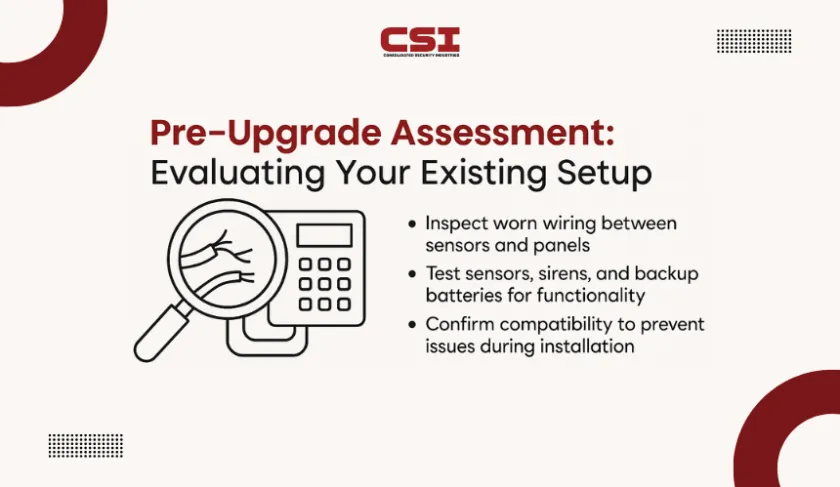
Examine the wiring running between control panels and sensors. Outdated cables may show fraying, poor insulation, or connectors that are no longer compatible with digital hardware. If the lines cannot deliver stable signals or safe power, they should be replaced before any upgrade begins. It it better to take guidance from professional security alarm installers who can confirm compatibility.
What Security Components Should Be Inspected First?
Focus on door and window contacts, as they are the most prone to wear. Evaluate the reliability of motion detectors and glass-break sensors by testing their response times. Sirens and strobe lights should be checked for volume and visibility.
Finally, inspect backup batteries for capacity, since weakened batteries cannot support the advanced demands of a smart alarm during outages.
Why A Thorough Assessment Prevents Upgrade Issues?
A full diagnostic review provides clarity on which elements can transition and which are liabilities. Skipping this stage often leads to unexpected costs, delays, or technical failures during installation. A clear assessment ensures the upcoming upgrade process is predictable and cost-efficient.
Step-By-Step Transition Process: From Legacy To Smart
Once the evaluation is complete, the actual migration to a smart security system can begin. Following a structured path minimizes errors and ensures long-term reliability.
Step 1: Perform A Compatibility Audit
Use the findings from the pre-upgrade assessment explained before to confirm which parts will integrate with the new system. Record what is reusable and identify obsolete components that must be removed before setup begins.
Step 2: Select The Smart Hub Or Control Unit
Choose a central hub that will act as the brain of the new system. This hub must connect all devices, support mobile applications, and provide expansion capacity for future sensors and integrations.
Step 3: Decide On Upgrade Style
Homeowners can opt for a full replacement or a phased approach. A full replacement updates every component in one installation, while a phased upgrade allows gradual adoption with incremental costs.
Step 4: Choose Between Professional Or DIY Installation
Professional installation ensures expertise and reduced risk of errors, while DIY appeals to homeowners who are technically confident and want budget control. The decision depends on comfort level, time, and complexity of the system chosen.
Step 5: Calibrate And Sync The New System
Once installed, configure sensor ranges, test alert accuracy, and connect the system to its mobile application. Ensure notifications, remote access, and monitoring features operate seamlessly before finalizing the upgrade.
Choosing The Right Smart Alarm System In 2025
Selecting the right system is the most critical decision in the upgrade journey. With multiple options available, evaluating reliability, expandability, and long-term support ensures you invest in a solution that stays relevant.
What Features Define A Reliable Smart Alarm System?
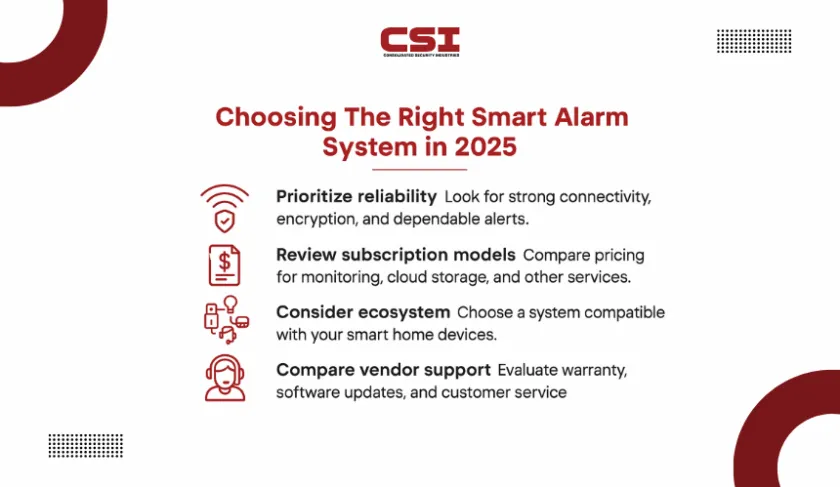
A strong system must provide consistent connectivity through Wi-Fi or cellular backup, advanced encryption for data protection, and dependable alert delivery. Reliability also means fast response times, clear notifications, and minimal false alarms.
How To Evaluate Subscription Models And Costs?
Smart alarms in 2025 often come with subscription options for cloud storage, professional monitoring, or AI-driven threat detection. Some vendors offer one-time purchases with limited functionality, while others provide tiered monthly plans.
Why Ecosystem Compatibility Matters?
Modern security systems are rarely stand-alone. They should connect easily with smart locks, voice assistants, lighting systems, and environmental sensors. Ecosystem compatibility ensures the system grows with your home, rather than limiting you to a closed network of devices.
Factors To Compare Between Vendors
Look beyond surface-level features. Compare warranty length, frequency of software updates, customer support quality, and reputation for long-term stability. A well-supported system guarantees ongoing improvements and security patches, extending its lifespan well beyond installation.
Installation Tips For A Smooth Upgrade
Even with the right system selected, poor installation can weaken overall performance. Paying attention to placement, connectivity, and safety precautions ensures a reliable setup.
Where Should Sensors Be Installed For Maximum Coverage
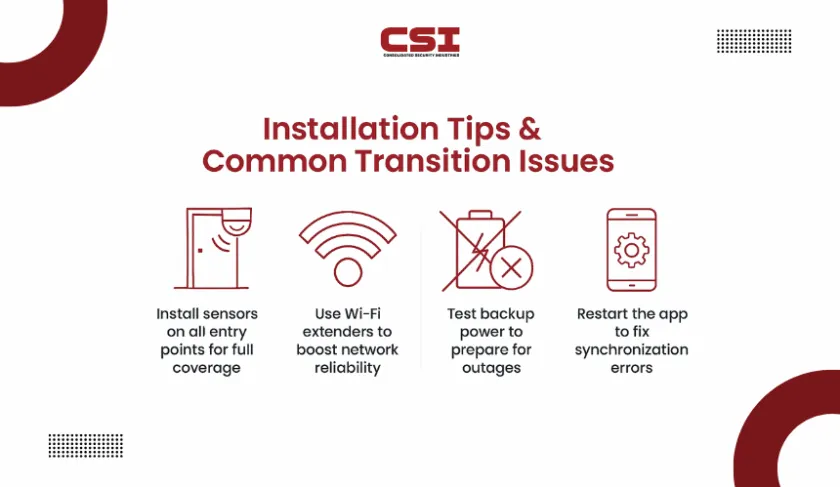
Place entry sensors on all exterior doors and ground-floor windows. Motion detectors should be positioned in central hallways rather than corners with obstructions. Glass-break sensors work best in rooms with large windows, while cameras should cover main entrances and outdoor blind spots.
How To Avoid Connectivity Issues During Setup
Smart systems rely on stable networks. Install Wi-Fi extenders if the signal weakens near entry points or outdoor cameras. For larger properties, a mesh Wi-Fi system may be necessary to eliminate dead zones. Systems with cellular backup should be tested to confirm signal strength in case of an outage.
Why Backup Power And Fail-Safe Features Matter
Power interruptions leave homes vulnerable if backup options are ignored. Install the system with rechargeable batteries or connect it to an uninterruptible power supply. This ensures alerts and recordings continue even during blackouts.
How To Integrate With Other Smart Home Devices
During setup, link the alarm system with existing devices such as smart locks, lights, and voice assistants. Proper integration allows the system to trigger lights during an alert, lock doors remotely, or respond to voice commands, creating a unified home defense network.
Common Issues During Transition & How To Solve Them
Even with planning, homeowners often encounter challenges when shifting from an old alarm to a smart system. Addressing these issues early ensures the upgrade does not stall or lose reliability.
Why Do Smart Alarms Fail To Connect To Wi-Fi?
One of the most common problems is weak or inconsistent internet coverage. If devices fail to pair with the hub, test the router speed and placement. Adding a Wi-Fi extender or switching to a mesh system often resolves these connection drops.
What To Do If Legacy Wiring Causes Problems?
Older alarm wiring may interfere with new devices or fail to carry stable signals. In such cases, bypass the outdated wiring and rely on wireless modules provided by the manufacturer. For critical zones, replacing the wiring entirely ensures long-term stability.
How To Fix App Synchronization Errors?
Sometimes the mobile app does not sync with sensors or cameras after installation. Restarting the hub, reinstalling the app, or updating the firmware usually resolves the issue. Ensuring the phone’s operating system is up-to-date also reduces compatibility conflicts.
How To Prepare For Backup Power Failures?
If the system does not respond during power loss, check whether the backup batteries are charged and properly installed. For more reliable protection, connect the hub and router to an uninterruptible power supply so both remain functional during outages.
Ready to upgrade your home protection? CSI Security makes the transition from outdated alarms to smart systems seamless and stress-free. Our team helps you choose the right solution, handles expert installation, and ensures your system is set up for long-term reliability.
Frequently Asked Questions
Can smart alarm systems work without the internet?
Yes. Many modern systems include cellular backup or local storage, so they continue operating even if Wi-Fi goes down. While features like app notifications may be delayed without internet, core security functions remain active.
Do smart alarms protect against hacking risks?
Smart alarms are designed with encryption and multi-factor authentication to reduce cyber vulnerabilities. Choosing a vendor with a strong update policy is essential, since regular firmware patches strengthen protection against new threats.
Can a smart security system be moved to a new home?
Most smart systems are modular and wireless, making them easy to uninstall and reinstall in a new property. This flexibility ensures the investment carries forward if you relocate.
What happens to the smart security system if the power goes out for several hours?
In addition to rechargeable backup batteries, some systems allow optional integration with portable generators or solar-powered backups. These features keep alarms and cameras functional during extended outages.
Are smart alarms suitable for large properties or multi-unit buildings?
Yes. Systems in 2025 are scalable, allowing multiple hubs or repeaters to cover larger areas. For multi-unit properties, certain platforms also offer account hierarchies so security can be managed for each unit independently.
Do smart alarms comply with insurance requirements?
Many insurers now accept smart alarms as valid security systems. Some even provide discounts if professional monitoring is included. It is advisable to check specific provider requirements before purchase.